← All guides3After

Send the recap
while everyone still cares

7 min readUses Recaps

The short version

  1. 1The morning after, not the week after. Interest drops fast once Monday arrives.
  2. 2Make it about them. Their own photos and recap first, your brand message second.
  3. 3One moment, not a timeline. The best recaps pick a single story and tell it well.

Five steps, one window

1Step 1 of 5

Book the send time before the event

Recaps go out late because nobody owned them. Put the send time in the run of show, next to load-out, with a name beside it. The morning after, before lunch, is a good default.

Write the message the day before the event, with gaps for the link and one detail from the day. On the morning, you fill in two blanks and press send, instead of staring at a blank screen with a sore head.

Why the rush? A recap is a souvenir. It works while people are still telling friends about the event, and it turns into admin about three days later.

2Step 2 of 5

Lead with their photos, not your logo

Every guest has photos of themselves waiting in the album, and everyone who added photos has their own recap of the event from where they stood. That is the best thing you can send them, because it stars them.

Open the message with that: your photos are up and your recap is ready. Put your thank you second and anything about your brand third. Guests open things about themselves. They are less excited about things about you.

Guests who post their recap are taking your event to their own followers, in their own words. It is the most natural kind of reach there is, and it starts with the message you send this morning.

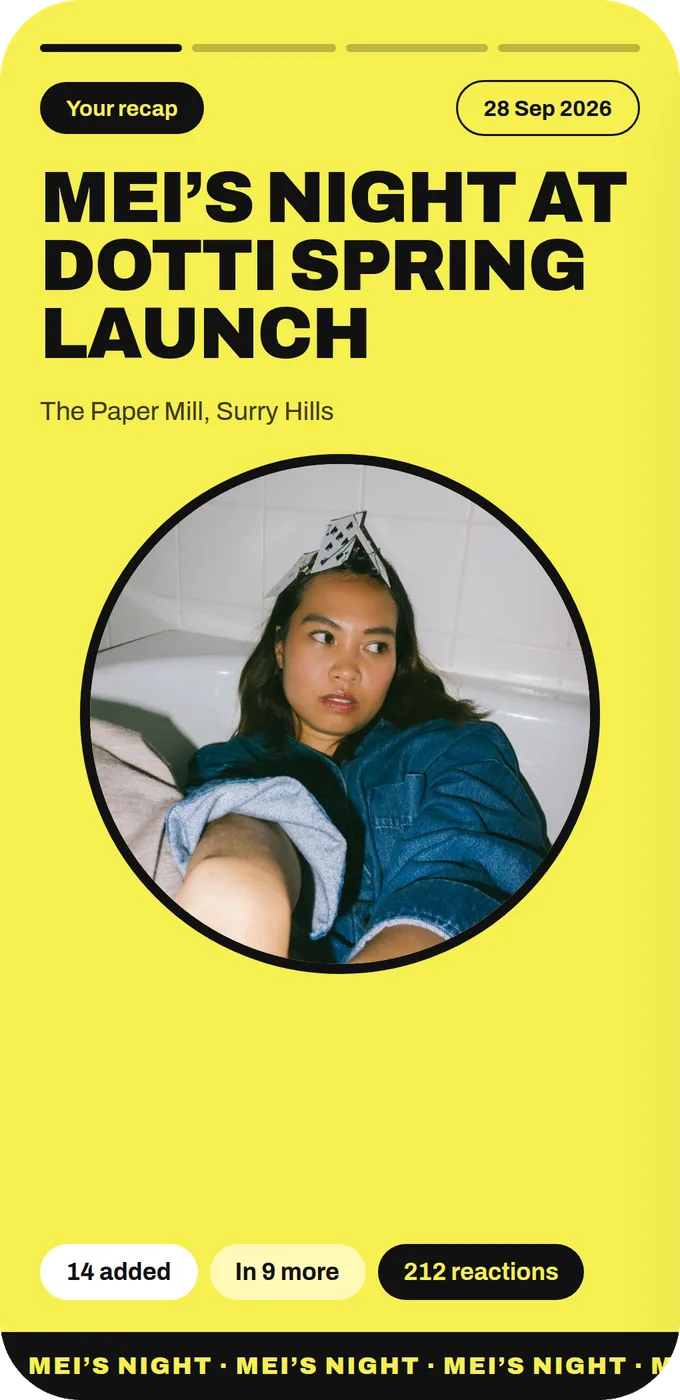
The first slide of Mei’s personal recap, in the event’s Headline look
A guest’s own recap of the event, starring them.
3Step 3 of 5

Build your own event recap around one moment

Alongside the guests’ own recaps, your brand will usually post its own event recap. The common mistake is to cover everything: arrival, speeches, food, DJ, goodbyes. That is a timeline, and timelines are boring.

Pick the one moment people will still talk about next week (the surprise guest, the vote, the cake disaster) and build around it. Then add two or three supporting shots and a line of thanks.

Use guest photos where you can, within the rights guests agreed to when they uploaded. Real guest shots look like proof. Studio shots look like an ad.

Guests laughing on a rooftop in the sunThe momentThree friends taking a selfieSupporting shotFriends laughing into a selfieSupporting shot
One moment, then two or three shots around it.
4Step 4 of 5

Fit the recap to each channel

Email can carry a link, a photo and a few warm sentences. A group chat wants one line and the link. Social wants the moment, a few images and a caption a guest would happily share.

Do not paste the same block everywhere. A three-paragraph email dropped into a group chat reads like a press release, and a one-line chat message in an inbox looks like a mistake.

Whichever channel, keep the album link in there. Late photos keep arriving for days, and people who see the recap often remember they have something to add.

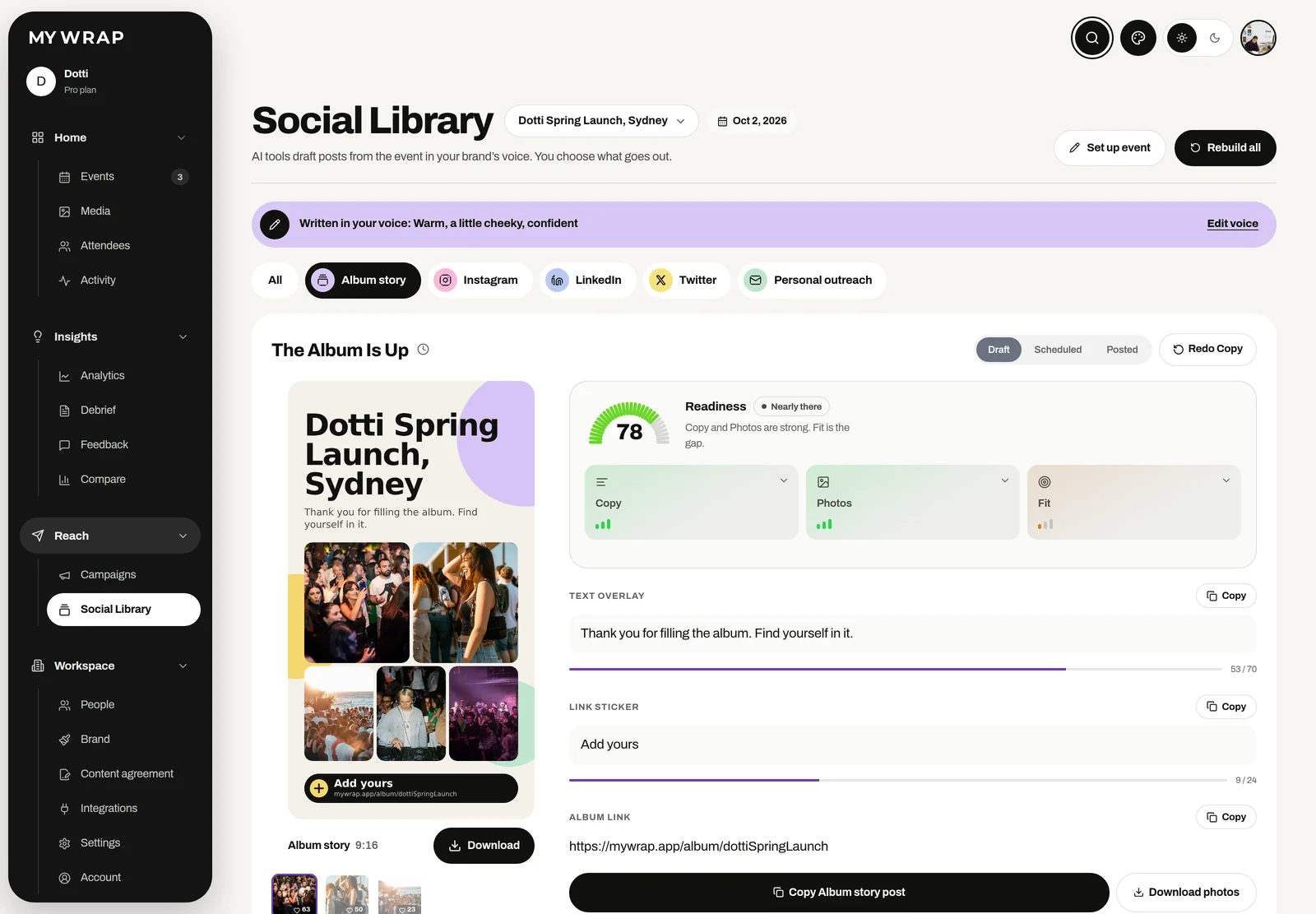
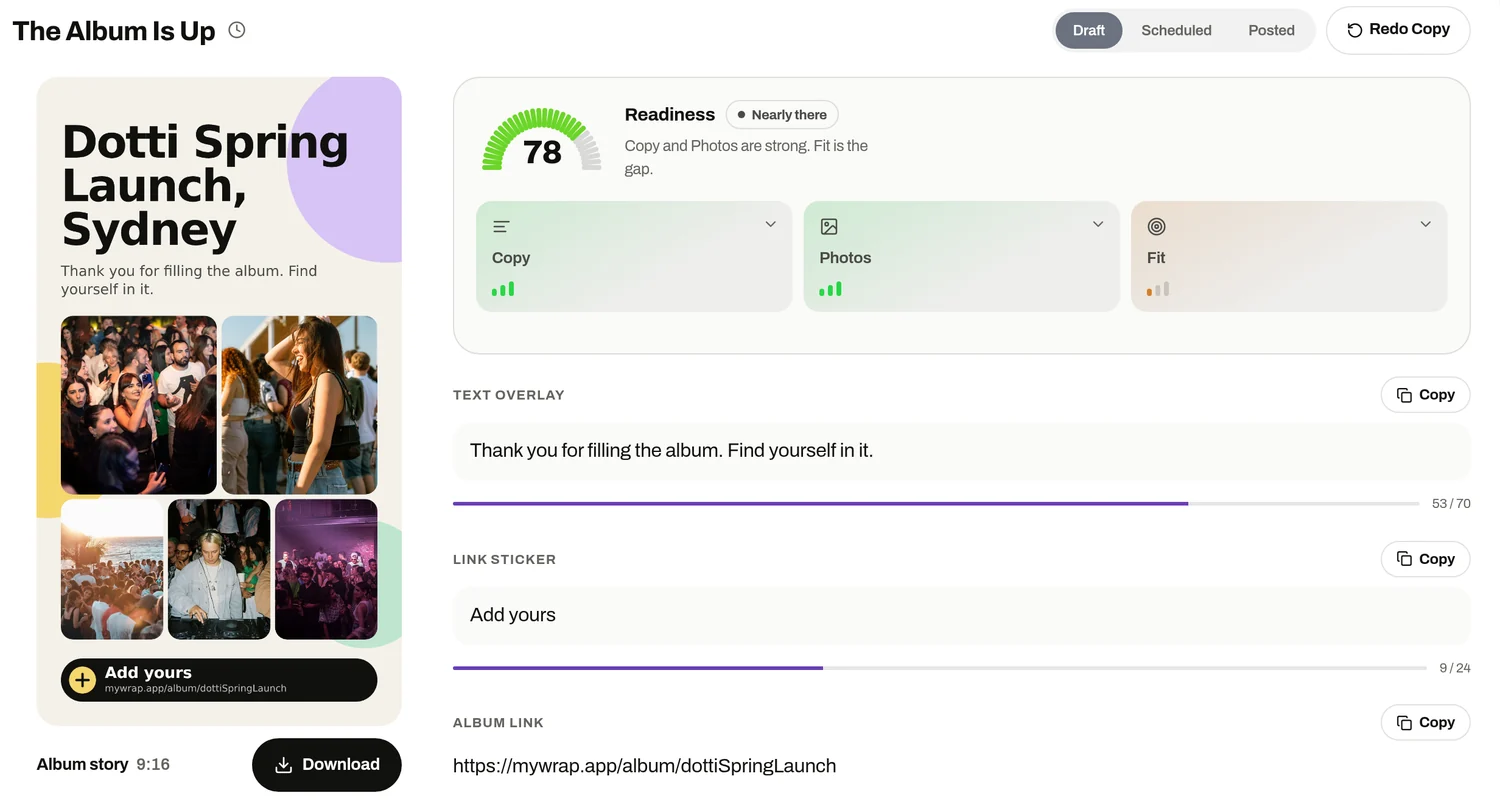
The Social library on its Album story tab, with the story poster and its words ready to copy
The album story poster with an Add yours sticker, its text overlay and the album link
The album story, drafted and ready to post from the Social library.
5Step 5 of 5

Nudge once, then let it go

Around day three, send one short note to people who added photos but have not opened their recap. Keep it light: your recap is still waiting, here is the link.

After that, stop. A second reminder turns a gift into a chore, and the goodwill you built is worth more than a few extra opens.

Then write down what time you sent, what you said and how it went. Next event, you start from a message that already worked.

Your take

Three quick ones. Tap an answer to see how everyone else replied. We read every answer, it shapes what we build next.

1 of 3

When does your event recap usually go out?

2 of 3

Where do your guests actually see your recap?

3 of 3

What makes the recap slow to go out?

What you wish this guide covered, what drives you mad about event photos, anything. Read by the people building MyWrap.

Steal this

Three messages for the morning after. Paste, add your link, send.

Morning-after email

“Subject: Your recap from [event] is ready Thank you for coming yesterday. Your recap is ready, starring you: [link] The album is still open if you have more photos to add. See you at the next one.”

For the group chat

“Recaps are ready! Find yours here: [link]. Still got photos on your phone? Add them, the album is open all week.”

Day-three nudge

“Small reminder: your recap from [event] is still sitting there looking great. [link]. That is the last we will mention it, promise.”

Fair questions

What should an event recap include?

One standout moment, two or three supporting photos, a short thank you and a link to the album. Guests also love their own photos and recap, so send those first.

When should I send an event recap?

The morning after, before lunch, is a good rule of thumb. After a few days, people have moved on.

Can I use guest photos in my brand recap?

Yes, within the permission guests gave when they uploaded. Check the content agreement on the album before you post.

Who gets their own recap?

Every guest who added photos gets their own recap of the event from where they stood, ready to post to their own followers.

How many reminders should I send?

One, around day three, to people who have not opened their recap. More than that starts to feel like nagging.

Next up

See all guides