Audience collection

Collect emails at an event without a clipboard

A sign-up card sits inside the album your guests are already scrolling. They are there to see the photo of themselves; the card asking for an email is one tap away from it, which is the entire reason it gets filled in.

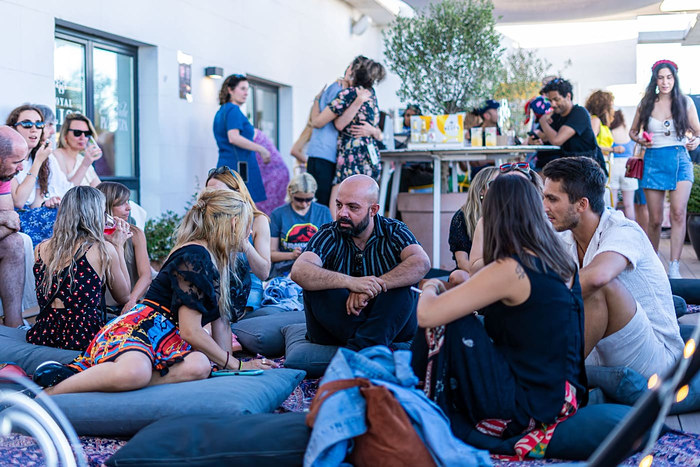
Guests at an event filling in a sign-up card inside a shared photo albumGuests at an event filling in a sign-up card inside a shared photo albumGuests at an event filling in a sign-up card inside a shared photo album

How a brand runs one

One workspace runs the album, the event and the audience record it leaves behind.

  1. Open a workspace

    Sign in with a work email at mywrap.app/business/login. Creating the workspace is free: you name the brand, say what you do, and paste your links, and the setup fills in your brand kit, your writing voice and your public brand page from your own pages. It shows you what it wrote before saving any of it.

  2. Set up the event

    Name, date, location, how many photos each guest may add, an entry code if the album should not be open to the whole internet, whether your content terms apply, and whether the event shows on your brand page. The album exists from that moment; the cover is picked afterwards.

  3. The room joins with one link

    A link or a QR code on the wall. Guests open it in a phone browser and start adding photos and clips: no app, no account, no invite to accept. If your workspace has content terms, they are shown before the first photo goes anywhere, and who agreed to which version is recorded.

  4. The event runs itself

    Guests answer polls, hot takes, quizzes and question boxes, enter the raffle, tap your shop and follow cards, and opt in on a sign-up card. Anyone who makes their own recap out of the album gets the paid frame set without paying for it, because the album carries your plan rather than their account.

  5. The workspace keeps the event

    Afterwards: full analytics, the attendee list with segments, every photo and clip in one library, a ranked social pack with separate copy for Instagram, TikTok, X and LinkedIn, an official recap you own, and a report you can export as JSON or CSV. Across events, returning audience and side-by-side comparison.

The clipboard problem

A paper sheet at a table needs someone standing behind it, gets eleven names, and three of those are illegible. A QR code to a landing form asks someone to leave the thing they were enjoying and go fill in a form for a brand instead. Both fail for the same reason: they interrupt.

A card in the album does not interrupt. The album is where the photos of tonight are, so people are already in it, already scrolling, and already having a good time about it.

What you can ask for

Email, phone, or both, plus up to four fields you define yourself, a name, a city, a shirt size, a birthday, a dropdown of options. Each is a single input with the right keyboard: text, email, phone, number, date, or select. No file uploads and no long free-text box, because both invite answers nobody ever reads.

Fields keep a stable id, so renaming the question afterwards does not detach the answers already given to it.

Consent is part of the record, not a checkbox somewhere else

A sign-up card cannot be posted without a line saying what the person is agreeing to receive. That line is stored on every single entry, so the record is not "they signed up" but "they agreed to this exact sentence, on this date". Editing the card later does not rewrite what earlier people agreed to.

Answers are private to the workspace running the album. A sign-up is the one card type whose contents are never shown back to other guests, and someone can withdraw their entry themselves.

Then it leaves as a CSV

The list exports as CSV in the same shape a mailing tool expects, carrying the consent text with it. The same people are also rows in your event CRM, so you can see that the person who signed up is the one who uploaded nine photos and has now been to three of your events.

The short version

Who it is for
Brands, venues, festivals, agencies, conference and community teams, anyone who runs events and currently leaves with nothing but a photographer’s invoice.
What guests install
Nothing. The album opens in a phone browser, and no account is needed to add photos or answer a card.
Price
Brand Event $69 one-time (one event, 250 / event). Brand $179 per month or $1,790 per year, unlimited events and 2,500 / month. Enterprise is custom.
What a participant is
A distinct person who uploaded, answered a card, or marked themselves as there. Not a photo, and not a page view, a brand pays for reach, not for storage.
The CRM
Every person across every event you have run, with their uploads, answers, sign-up status and lifecycle stage, plus saved segments. Contact details are only ever the ones someone opted in with, and they export as CSV.
Content rights
Your own upload terms, shown before a guest’s first photo, version-stamped, with a record of who agreed to which version, guests without accounts included.
Branding
Your logo, accent colour and call-to-action on the album and on every recap made from it, plus a public page at mywrap.app/b/yourbrand. Removing the MyWrap mark entirely is Enterprise.
Who can run it
Several people share one workspace as owner, admin or member (up to 15 on Brand, 100 on Enterprise). The plan belongs to the organisation, so the person who bought it can leave without taking the events with them.

Questions people actually ask

How do I collect emails at an event?

Put a sign-up card in the shared album your guests are already using to see the photos. It asks for an email, a phone number, or both, plus up to four fields of your own, and it takes one tap from a photo of themselves. That proximity is what a table with a clipboard cannot buy.

Is the consent recorded?

Yes. A sign-up card cannot exist without a line describing what someone is agreeing to receive, and that exact text is stored with each entry. Editing the card afterwards does not change what anyone already agreed to, and people can withdraw their own sign-up.

Can I ask for more than an email?

Yes, up to four extra fields you define, each typed as text, email, phone, number, date or a dropdown. Deliberately not unlimited: a contact row is worth having, and a fifth question is where completion falls off.

Where does the list go?

It exports as CSV, ready for a mailing tool, with the consent text included. The same people also sit in the workspace’s attendee list alongside what they uploaded and answered.

Do guests need an account to sign up?

No. A guest with no MyWrap account can fill in a sign-up card, and their entry is attached to them the same way their photos are.

Which plan includes it?

Audience collection is included from Brand Event ($69) upward, along with the rest of the event-day kit.

What MyWrap for Business is

MyWrap for Business is a branded shared photo album and event CRM. Guests open one link to add photos, answer cards and enter raffles: no app or account required. The album carries the brand’s logo, colour and content terms. After the event, the workspace keeps the attendee record, opted-in contacts, post-ready photos and captions, and a report of what happened. The CRM is built from real participation rather than a registration or badge-scan list.

Keep reading