← All guides3After

Turn one event
into a month of posts

7 min readUses Social libraryMedia library

The short version

  1. 1Pick the keepers while memories are warm. Two days after, not two weeks. You still know who is in which shot.
  2. 2Give every week one job. Thank-you, people, details, then the throwback that sells the next one.
  3. 3One platform, one post. A caption pasted four times is four slightly bad posts.

Four weeks, one album

1Step 1 of 5

Pick the keepers in the first 48 hours

Open the media library while everyone still remembers the event. Sort by the shots guests reacted to most and start there, because the crowd has already done half your curation for you.

Then filter to the photos guests said yes to using in your marketing. That is your working set. Anything outside it can still live in the album, it just does not go on the brand feed.

Aim for a shortlist of about thirty: ten wide shots, ten close-ups of people, ten details (the product in someone's hand, the menu, the sign someone drew on). That mix is what four weeks of variety is made of.
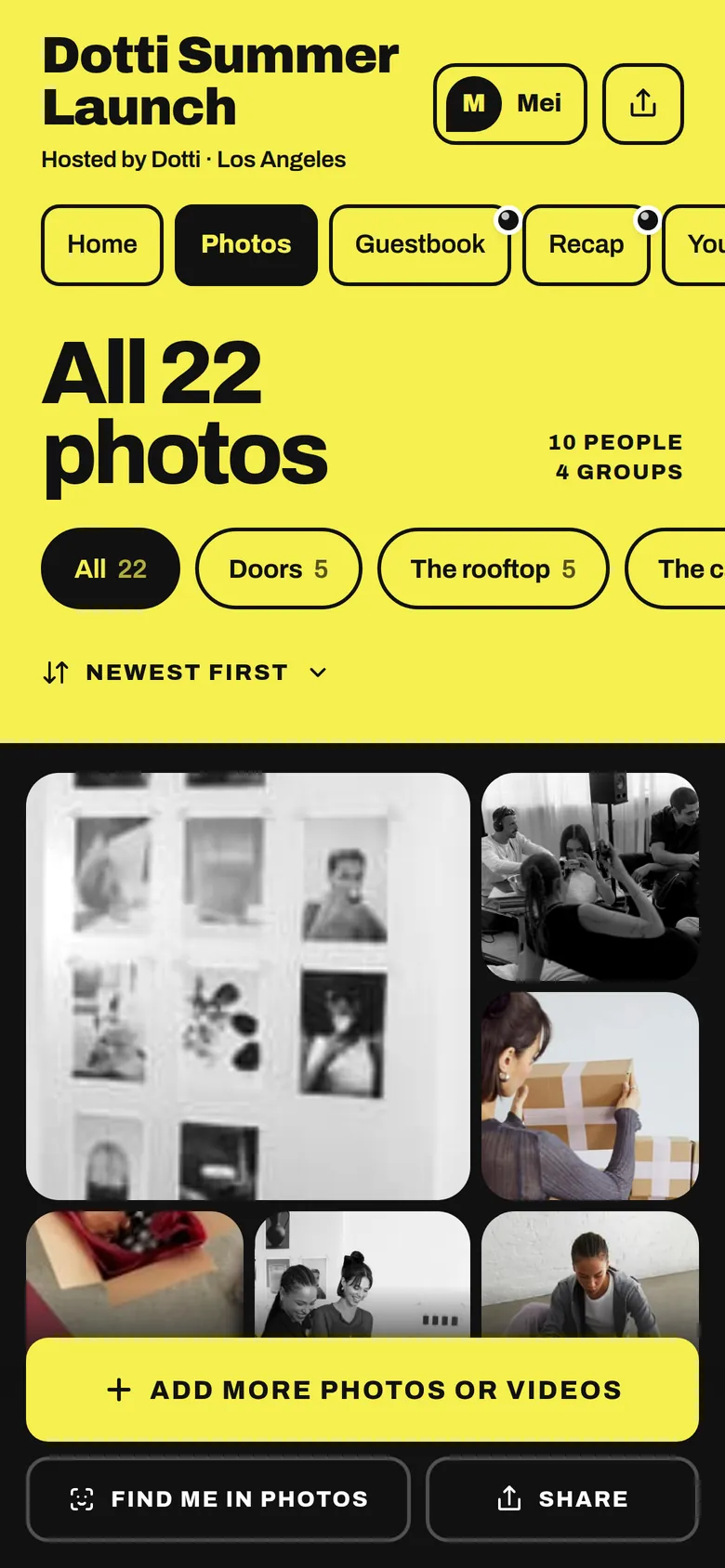
The album’s Photos tab: all 22 photos, filed in groups
The album filed in order, so you can pick keepers moment by moment.
2Step 2 of 5

Map your event social media content to four weeks

Week one is the thank-you: one carousel of the best guest shots, posted the morning after, with the album link so late uploads keep arriving. Week two is people: the guest who brought a film camera, the friend group in matching hats.

Week three is details: the product in use, the snacks, the bit of set design someone spent three days on. Week four is the throwback, which quietly does the real work of announcing the next date or opening sign-ups.

Two or three posts a week is plenty. The goal is that someone who came sees the event pop up again a fortnight later and thinks, oh, that was good.

3Step 3 of 5

Draft one post per platform, not one post everywhere

Send your shortlist to the social library and it drafts posts in your brand's voice for Instagram, TikTok, X and LinkedIn, each written to fit. The caption, photo and hashtags arrive together.

Treat the platforms as different rooms at the same party. Instagram gets a line that works with the image. X gets one sharp observation. LinkedIn gets the context: who was there, what you learned, which partners to thank by name. TikTok gets the clip with captions on.

Batch the whole month in one sitting. Drafting four weeks in an afternoon is far easier than inventing something new every Tuesday.

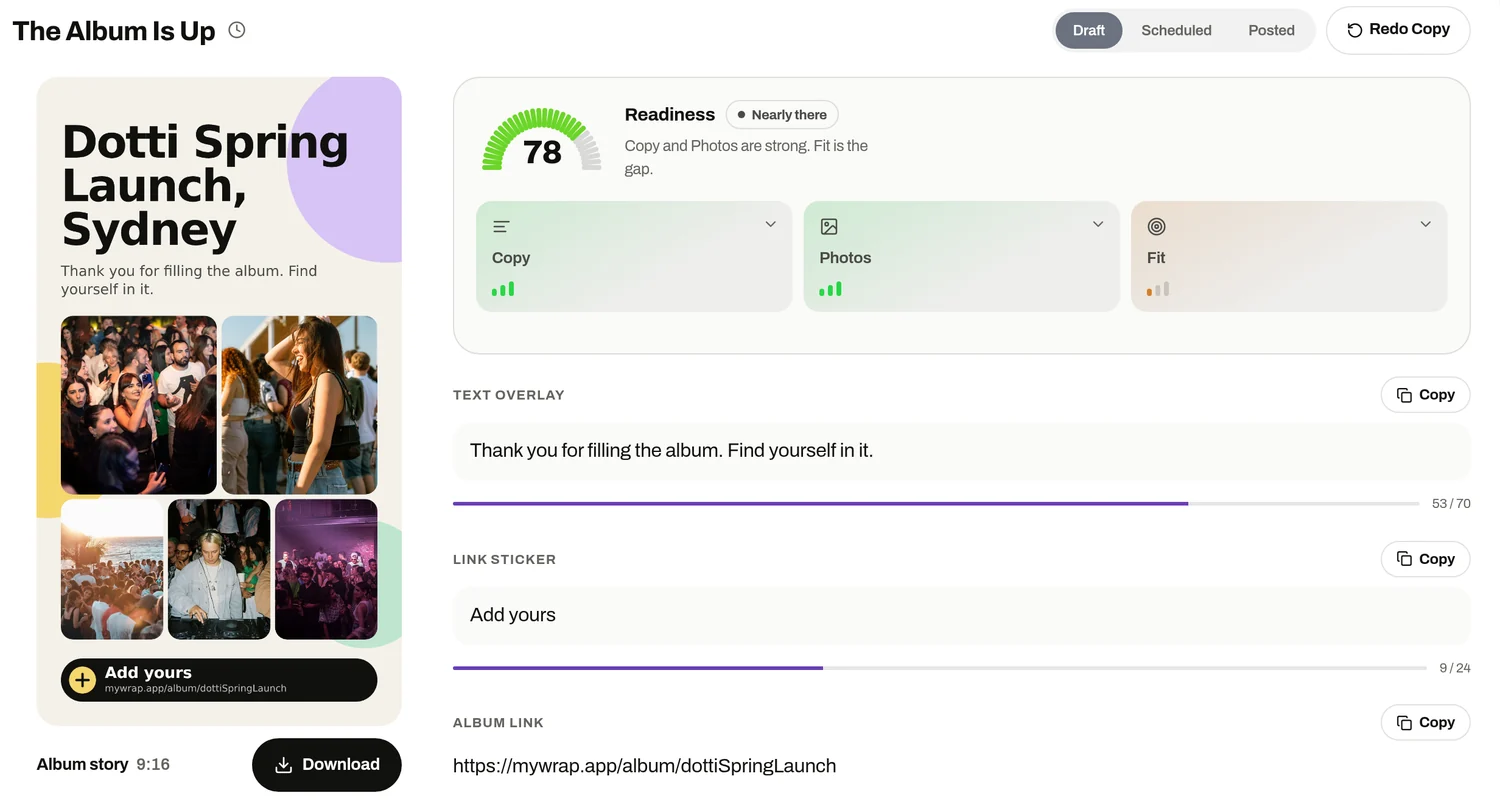
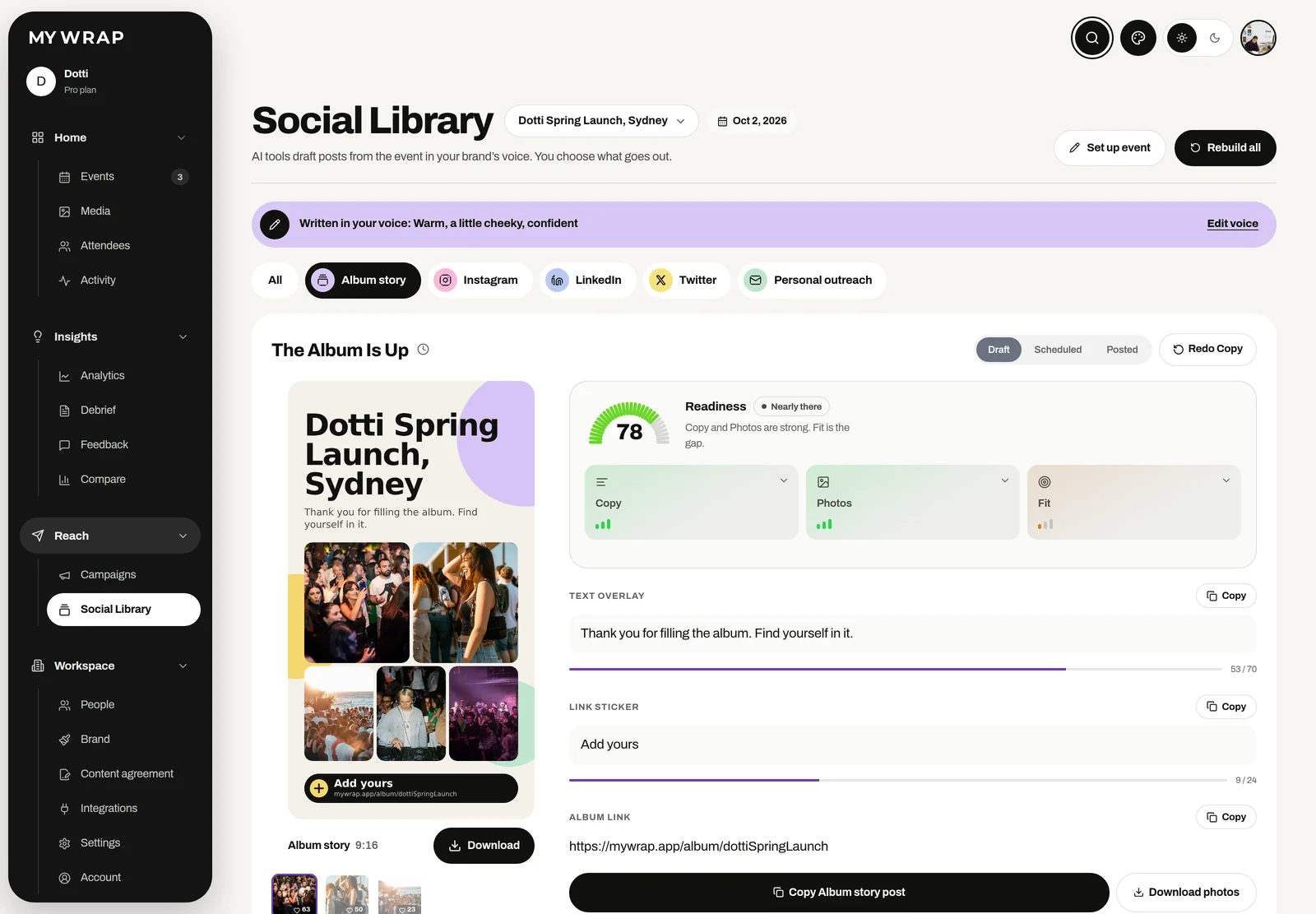
The Social library on its Album story tab, with the story poster and its words ready to copy
The album story poster with an Add yours sticker, its text overlay and the album link
Drafts in your brand voice, starting with the album story.
4Step 4 of 5

Edit like someone who was there

Drafts get you most of the way. A human always gets the last word, and that word should be specific. Add one detail only an attendee would know: the song that cleared the bar, the dog that wandered in, the queue for the second round of tacos.

Then cut. Most captions improve when you delete the first sentence and every adjective that could describe any event anywhere. If a line would work for a dentist's conference, it is not your line.

Read it out loud once. If you would not say it to a guest at the event, rewrite it until you would.

5Step 5 of 5

Credit the guests who took the shots

Guest photos look like the rest of someone's feed, which is why they work. Credit the person who took them and tag the friends in frame (if they are happy to be tagged). People reshare posts with their own photo in them far more readily than they reshare an ad.

Remember that guests who added photos also have their own recap. Some will post it themselves in week one, which means your thank-you carousel lands next to theirs instead of on its own.

Keep a running list of who you credited. It stops you tagging the same three people every week and it is a ready-made list of your most generous photographers for next time.

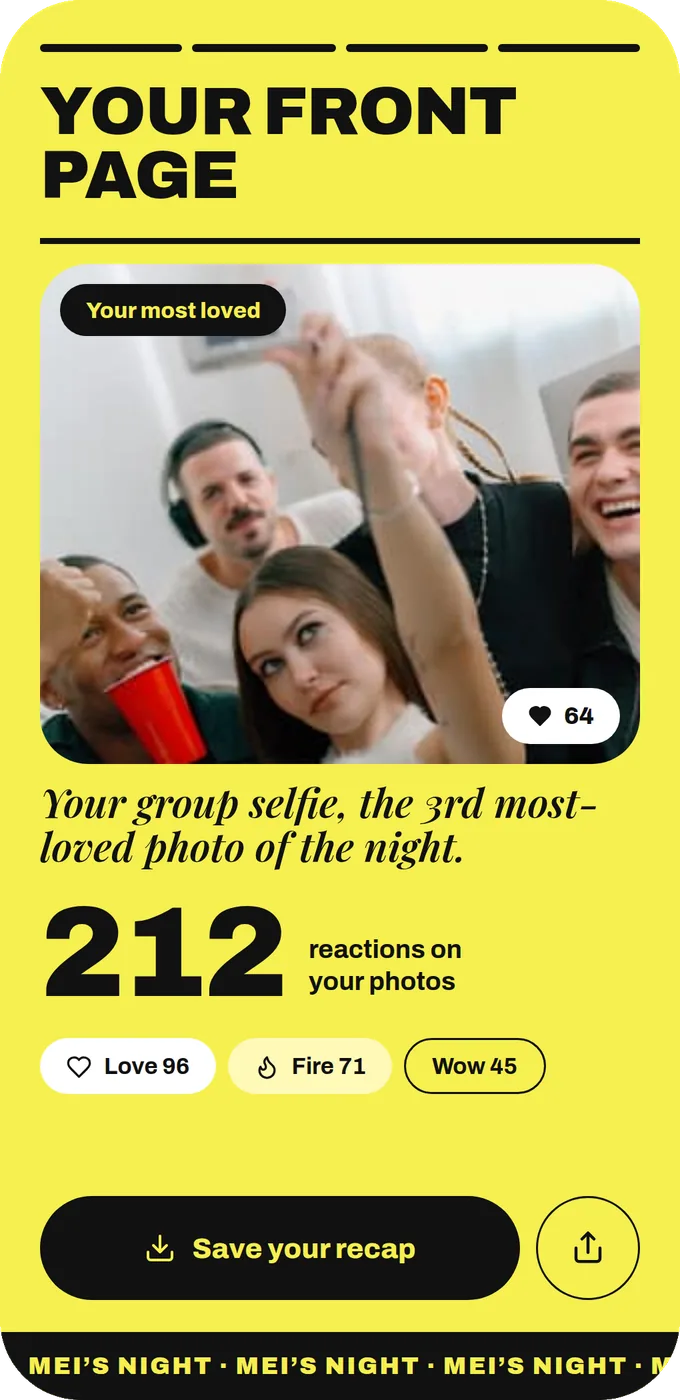
The last slide of Mei’s personal recap: her most loved photo and the reactions on her photos
Guests who added photos get their own recap, and plenty of them post it.

Your take

Three quick ones. Tap an answer to see how everyone else replied. We read every answer, it shapes what we build next.

1 of 3

How many posts does one event usually give your feed?

2 of 3

Where do most of your event post photos come from?

3 of 3

What stops one event turning into a month of posts?

What you wish this guide covered, what drives you mad about event photos, anything. Read by the people building MyWrap.

Steal this

A calendar, a caption and a polite question. Swap in your own details.

The four-week calendar

“Week 1: thank-you carousel, best guest shots, album link. Week 2: two people posts (a guest spotlight, a friend group). Week 3: details (product in hand, set, food). Week 4: throwback with an unseen shot, plus the next date.”

A week-two caption

“Shot by @[guest], who apparently brought a better camera than our whole team. Thank you for filling the album. More from [event] all month.”

Asking to tag a guest

“Hi! We love the photo you added from [event] and would like to post it this week. Happy for us to tag you, or would you rather stay uncredited?”

Fair questions

How much event social media content can one event give you?

Usually more than you think. A decent guest album easily covers two or three posts a week for a month, as long as you give each week a different angle instead of posting the same twenty photos in a different order.

When should the first post go out?

The morning after. Interest drops quickly once people are home, so the week-one carousel matters most. Everything after that can be spaced out.

Can we use any guest photo on our brand accounts?

Use the ones guests said yes to. The media library lets you filter to photos cleared for marketing, with the usage record sitting next to each file.

Does MyWrap post to our accounts for us?

No. The social library drafts the posts in your brand voice, and someone on your team reviews, copies and posts them. A human always gets the last word.

Should we use the same caption on every platform?

Please don't. Each platform reads differently, and a caption written for LinkedIn looks odd on TikTok. One post per platform takes a little longer and performs a lot better.

Next up

See all guides