← All guides1Before

A QR code photo album
in 15 minutes

6 min readUses Content captureRecaps

The short version

  1. 1Name it like a moment, not a file. "Ana's 40th" gets more photos than "Event album 3".
  2. 2Seed it before anyone scans. Five of your own photos make it feel open.
  3. 3Test the QR with three phones. Then print it bigger than feels reasonable.

Fifteen minutes, five steps

1Step 1 of 5

Minutes 0 to 3: make the album and name it

Create the album and give it the name people already use for the event. "Spring Supper Club" beats "SSC 2026 Media". Guests see this name the second they scan, and it tells them they're in the right place.

Add a cover photo if you have one. A photo of the venue, the cake or last year's crowd works fine. A blank cover looks like a link that broke.

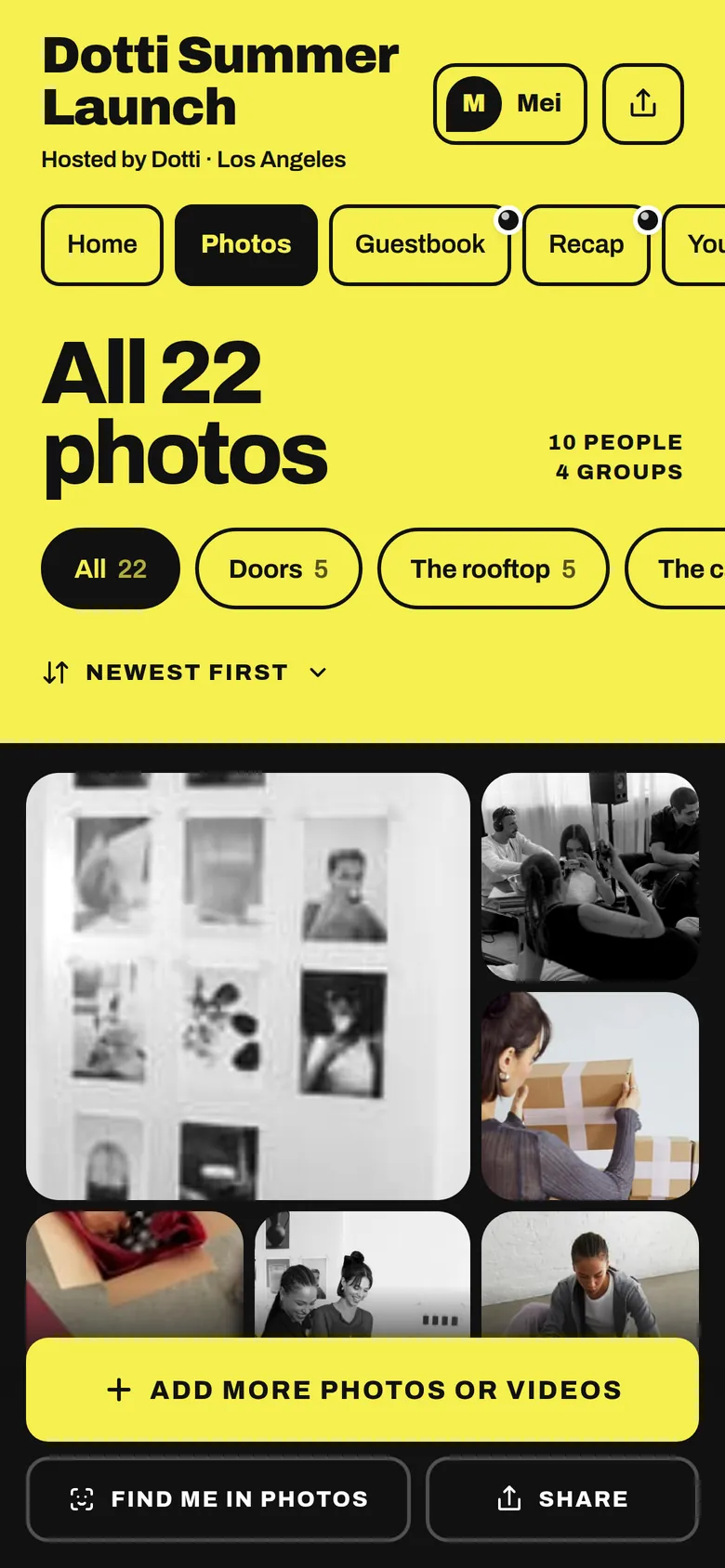
The Dotti Summer Launch album open in the browser, with one button to add photos or videos
A fresh album with a name and a cover, ready for its QR code.
2Step 2 of 5

Minutes 3 to 6: write one line that tells guests what to do

The album description is your instruction card. One line: what is in there for them, and what to add. "Come find your photos from today, and add your best shots too."

If you want specific photos, add a prompt or two inside the album, like "your table" or "the first dance". A prompt with a shape gets better photos than a general request.

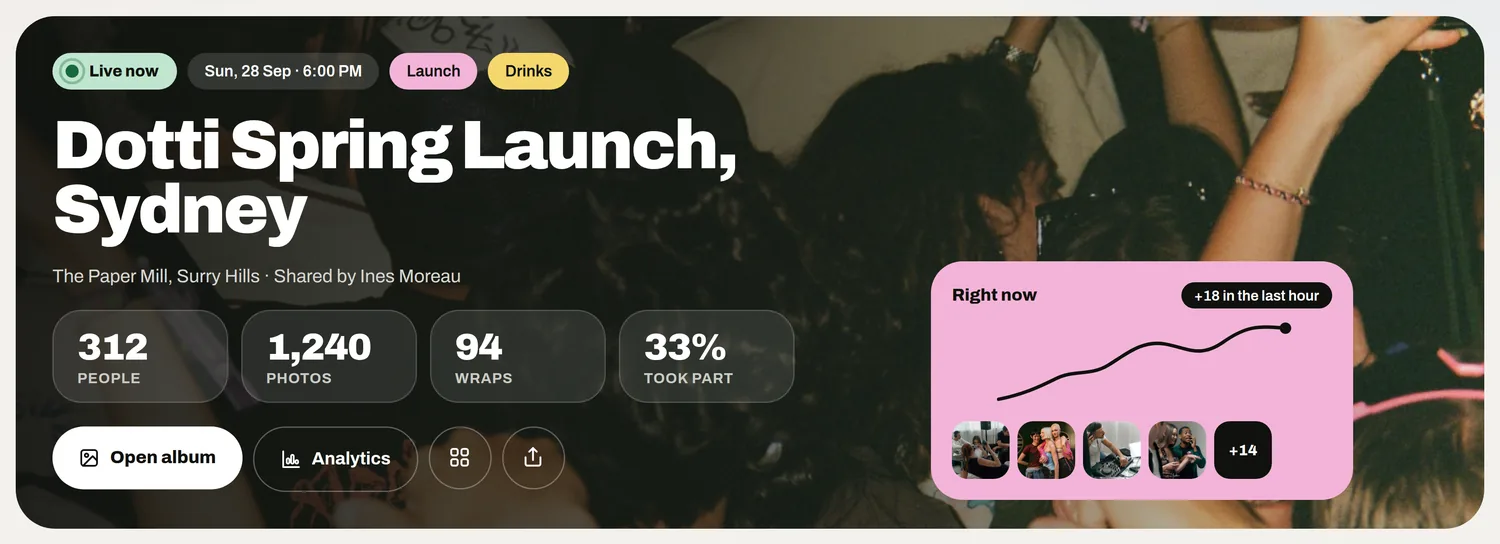
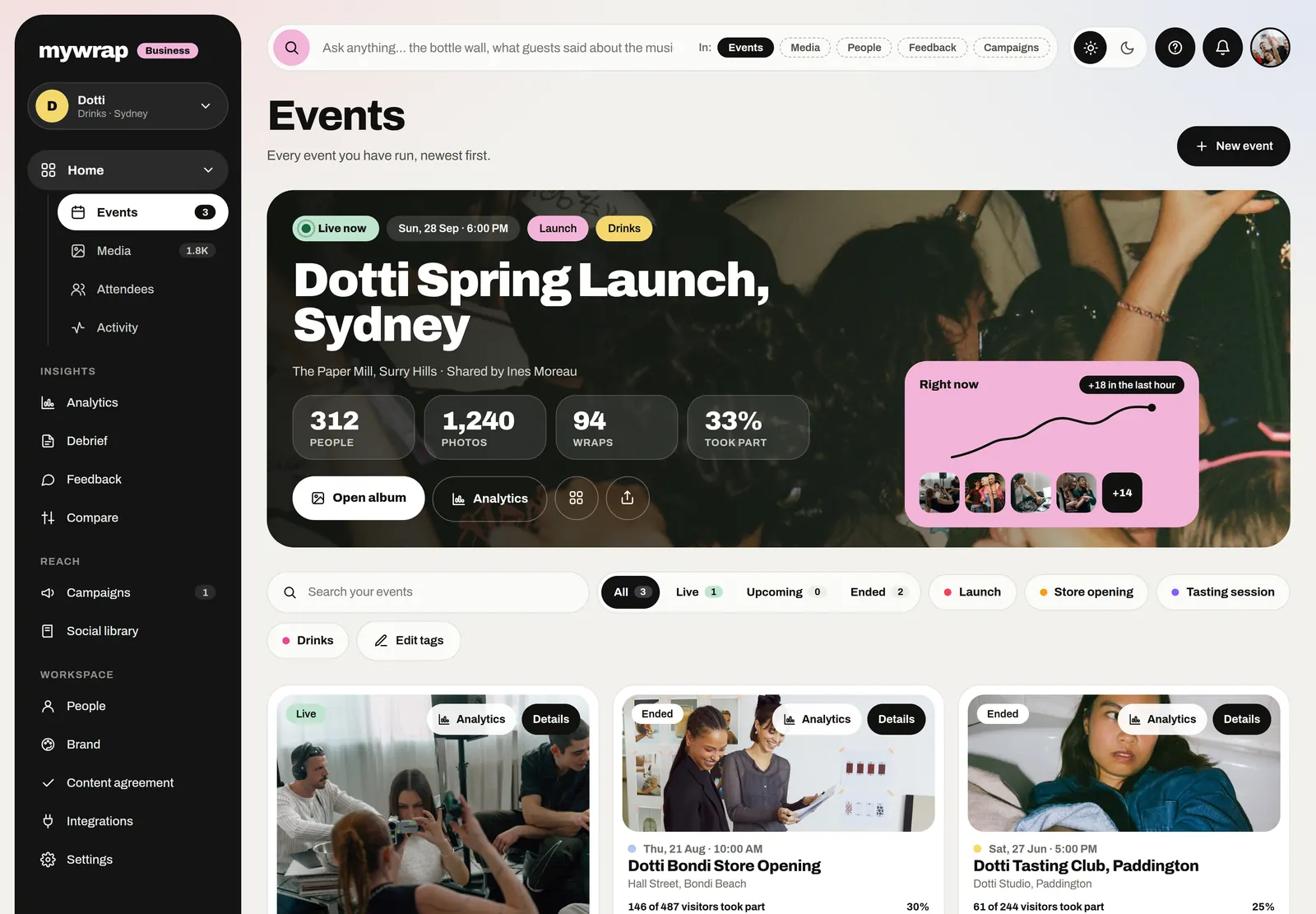
The Events page with the live Dotti Spring Launch card and its numbers
The live event card with its people, photos and the open album button
The album in your workspace, with its link and QR ready.
3Step 3 of 5

Minutes 6 to 9: seed it with five photos

An empty album makes everyone hesitate. Add five photos from your own phone: the setup, the venue, a detail, a person, something a bit silly.

Photos of people beat polished product shots. If you have a photographer, add their shots of guests as they come in, so everyone who scans has a reason to look for themselves.

The album’s Photos tab: all 22 photos, filed in groups
4Step 4 of 5

Minutes 9 to 12: get the QR code photo album sign printed

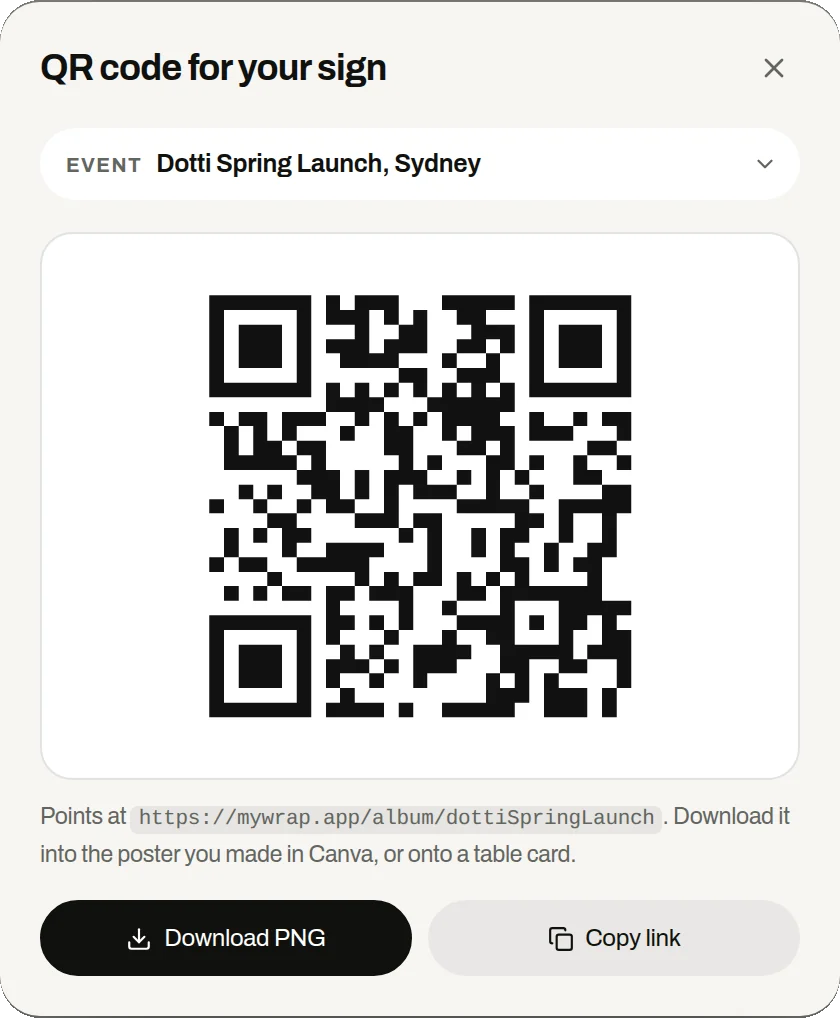
Grab the album's QR code and put it on a sign with three things: the QR, one line of instructions, and the short link underneath for anyone whose camera won't cooperate.

Size matters more than design. A coaster-sized QR works from about a metre away. A postcard-sized one works across a table. Print an A4 for anywhere people stand at a distance.

Before printing a stack, scan the test print with three different phones. If one struggles, make it bigger or put it on a plain white background.

The QR code for your sign sheet in the workspace, with Download PNG and Copy link
Download the code as a PNG and drop it into your sign.
5Step 5 of 5

Minutes 12 to 15: put it where people stand still

Tape signs where people wait: the bar, the food table, the coat rack, each dinner table. The front door is the worst spot, because people arriving are looking for their friends.

Then scan one of your own signs from where a guest would stand, add a photo, and check it lands. Done. The next morning, send the album link round with one line: your photos from the event are up, come find yourself.

A guest at a busy bar under warm lightsThe barGuests at a rooftop barThe food tableA DJ playing to a crowdNear the decks
Signs go where people stand still.

Your take

Three quick ones. Tap an answer to see how everyone else replied. We read every answer, it shapes what we build next.

1 of 3

Have you used a QR code for guest photos before?

2 of 3

How big do you usually print your QR signs?

3 of 3

What worries you most about a QR photo album?

What you wish this guide covered, what drives you mad about event photos, anything. Read by the people building MyWrap.

Steal this

Copy these for the sign, the album and the group chat.

For the printed sign

“Scan me! Come find your photos from today, and add your own photos and videos to the album. No app needed.”

For the album description

“Your photos from today land here. Come find yourself, and add your best shots too.”

For the group chat

“Here's the album for Saturday: [link]. Add anything you take, photos or videos. No app, takes about 20 seconds.”

Fair questions

How do I make a QR code photo album?

Create a shared album, copy its QR code onto a printed sign, and tape it where guests wait. Guests scan it, the album opens in their browser and they add photos from their camera roll.

Do guests need an app to add photos to a QR code album?

Not with MyWrap. They scan the code or open the link, and the album opens in their phone browser. No app, no account.

How big should I print the QR code?

As a rule of thumb, coaster size for a table, postcard size for across a counter, and A4 for a wall people see from a few metres. Test the print with three phones before you print the rest.

Can guests add videos as well?

Yes. Guests add photos and videos from their camera roll to the same album.

What happens to the photos after the event?

They stay in the album, where every guest can come back to find theirs. Keep the album open for a few days, because the best photos often arrive the next morning.

Next up

See all guides